latest tech gadgets and applications Headline Animator

latest tech gadgets and applications

Sunday, 14 August 2011

Apple launching13-inch MacBook Air: All about style and speed, too

It's the perfect combo of looks and technology.
Usually, when I'm reviewing laptops, I wind up with a variety of caveats that weed out potential buyers for whatever I have in hand. The screen isn't big enough. There's not enough RAM. The processor is outdated. The keyboard is spongy.

I'm having a tough time finding similar flaws in the new Air, which Apple rolled out last month when it released OS X 10.7, better known as Lion. Part of what makes the Air such a great little laptop is Lion. Part of it is the hardware itself. Put those two pieces together and you have a solid nexus of modern OS and top-notch hardware that makes this laptop a real pleasure to use.

And I'm saying this as someone who always -- always -- defaults to a larger screen, aiming for as much high-resolution real estate as I can get. Preferably with the fastest processor available. (Right now, my personal laptop of choice is the top-of-the-line 17-in. MacBook Pro.
Still, I find myself realizing I'd be fine with the 13-in. MacBook Air I've been using for a couple of weeks now. And as someone who had one of the first-generation Airs, all I can say is: Ain't evolution grand?

The new Air -- I reviewed the larger, $1,299 model -- is cutting-edge stylish, lightweight (less than 3 pounds), speedy (almost twice as fast as its immediate predecessor, thanks to a Core i5 Sandy Bridge chip), well-built (aluminum unibody construction), and a showcase for the new Lion OS. I'm already a huge fan of full-screen apps and swiping back and forth between desktop spacesusing Mission Control gestures. With the Air, Apple's melding of desktop OS and mobile iOS really shines.
As a friend noted, "It's like having an iPad with a keyboard."The Air lineup

There are four models in the Air lineup: Two feature an 11.6-in screen, and two come with a 13.3-in. screen like the Air I'm using now.Prices start at $999 for the 11.6-in. model with 64GB of storage and 2GB of RAM. If you want a really lightweight, netbook-like laptop, then this is your model. I find the screen size too small, even though the resolution is 1366 x 768 pixels. It's too much like looking through a mail slot.
Because Apple has killed off the old white plastic MacBook, this is now the entry-level model for Apple laptops. If you can live with the screen and limited storage, it's a good choice. Do yourself a favor, though, and bump up the RAM from 2GB to 4GB. (You can't install extra RAM yourself so you have to do this when you buy.) That adds $100 to the cost and edges you closer to the $1,199 model, which includes 4GB of RAM and comes with 128GB of storage.

The extra RAM is important, too, since all of the Airs use the integrated Intel HD Graphics 3000 chipset. If you have 2GB of RAM, you'll have up to 256MB of video RAM available; moving to 4GB of RAM allows the integrated chip to use up to 384MB of video RAM.

Storage is solid-state on all four models, ranging from the aforementioned 64GB (too small) to 128GB (probably fine for most people) to 256GB (what I'd want). Using flash storage is a smart move for Apple because it allows for a thin form factor and because it speeds up everything you do.

If you like this post kindly share it with your friends.

Stolen Mac can be track down by "Find my Mac beta" , but only for developers

If you ever lose your iPhone, you can always find it by using Find my iPhone app, but what can you do if you lose your Mac? Luckily, Apple has recently enabled beta testing of a new handy feature called Find my Mac to developers.
Although it’s alot harder to misplace your Mac, due to its size, this feature can be useful in case someone steals it from you. As you know, Find my iPhone app uses built-in GPS, but since Macs don’t come with GPS hence Find my Mac utilizes other tools in order to finding your missing Mac.

In order to find your missing Mac, Find my Mac app will use nearby WiFi networks to determine the computer’s location. Just like with Find my iPhone app, users will have the ability of sending a message to their Mac, locking it, or even deleting the entire hard drive remotely.

The only drawback of this app is that it relies on a WiFi network, and if there’s no WiFi network around you won’t be able to find your Mac, also it won’t be as precise. As for availability, we should see this app released this Fall, and it will be available free of charge.
If you like this post kindly share it with your friends.

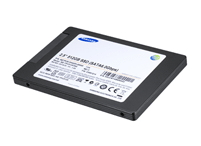
New Samsung SSDs coming with tablet storage

Tablet users may need more storage capacity in the future, and Samsung Semiconductor on Thursday announced it is now making its fastest solid-state drives for tablets and laptops with capacity of up to 512GB.
The PM830 SSD offers throughput to transfer movies at faster speeds and also to shorten boot times of PCs to 10 seconds, the company said in a statement. The SSD offers throughput of 6 gigabits per second, which doubles the speed of older Samsung SSDs.
The PM830 will also be available in capacities of 128GB and 256GB, though the company declined to reveal price and availability information. The SSDs are targeted at use for "premium notebooks" and tablets, the company said.Apple's iPad 2 tablet offers up to 64GB capacity, so the new drives would double storage capacity. SSDs are still considered expensive, but prices are falling and the drives could become a primary storage option for mainstream users next year, Gartner said earlier this year. By the second half of 2012, prices of mainstream PC SSDs could reach US$1 per gigabyte, according to Gartner.
Many laptops use SSDs (but with much less storage capacity) to quicken boot times. For example, Lenovo installs SSDs on motherboards on some laptop models to assist for quick Windows 7 boot times. SSDs are considered faster and less power hungry than magnetic hard drives, and are already being offered as a primary storage option in laptops from most computer makers.
Samsung already offers SSDs with 512GB capacity, but with slower I/O capacity. Samsung faces competition in the space from companies including Intel, Toshiba, OCZ and Super Talent.
The new PM830 SSD offers sequential read speeds of 500MB per second and sequential write speeds of 350MB per second. The new SSD supports the Serial ATA Revision 3.0 interface, and by year-end will replace the older Samsung SSDs transferring data at 3 gigabits per second.
If you like this post kindly share it with your friends.

Now you can enjoy Google+ Games live very soon.

Google’s new social network, Google+, took a big step forward by adding games to its site.

Google+, which is less than two months old, said Thursday afternoon that it’s beginning to roll out a games button at the top of users’ streams. The highly popular Angry Birds is one of the first games to be added to the site, along with Zombie Lane and Edgeworld.

Vic Gundotra, senior vice president of engineering at Google, announced the gaming news in a blog post. Gundotra noted that users will be able to click on a Games button that will be placed above their streams. The button takes them to a games page, allowing games to be available when users want them and hidden when they don’t.

“The experiences we have together are just as important to our relationships,” wrote Gundotra. “We want to make playing games online just as fun, and just as meaningful, as playing in real life. That means giving you control over when you see games, how you play them and with whom you share your experiences.”

And that’s going to be an important feature for Google+, which has grown quickly since its launch, according to Ezra Gottheil, an analyst with Technology Business Research.

“Games are a real complement to social networking,” said Gottheil. “When people play games with other people, it is often more about being with other people than about the game itself. It actually fits the Circles model well. If you’re a serious gamer, you want to talk about the game with other players, but that bores the rest of us silly.”

And Gottheil also noted that adding games to the site, while not surprising, is a smart move. If people are able to access great games and engage with Circles of gamers, it easily could draw more users to the fledgling network.

“I think Facebook has to be nervous about Google+ taking away some of its time-on-site more than taking away users,” he added.

In Thursday’s blog post, Gundotra noted that users will find their high scores, other games that friends have played recently and invitations to play with friends and family. And he also noted that Circles will only be updated with a user’s scores and game play if they are interested in gaming, as well.

“Today we’re starting to gradually roll out games in Google+,” wrote Gundotra. “We look forward to making them fully available to everyone in Google+ soon. When you see a Games page in your account, please give games a try and send us feedback. Look for the “send feedback” button in the bottom right-hand corner of any page in Google+.”

If you like this post kindly share it with your friends.
Leaked: Speech to text feature will on iOS 5 beta screenshot

Apple hasn’t revealed much about features that we’re going to see in iOS 5, but according to the latest news, it appears that Apple is working on integrating Nuance’s text-to-speech features into iOS 5. So far, only information about this feature is a screenshot leaked that clearly shows the presence of a microphone button on iPhone’s virtual keyboard. Pressing this button will show you an even larger microphone, which means that your speech will be recognized and transferred from speech to text. As for the accuracy of this feature, reports say that it works pretty well, but we’ll have to wait and see for ourselves.


Thursday, 11 August 2011

Firefox 7 will use up to 50% less memory

Since its first release back in 2004 Firefox has been my web browser of choice. It was the first browser to give Microsoft some serious competition and soon took over as the better choice for those in the know.
Google Chrome has come along since and injected a lot of speed into browsing the web, and Firefox has duly responded and even outperforms it easily in some tasks, but it does have one niggling problem that users regular complain about: memory use and memory leaks.

If you leave Firefox running for any length of time its memory footprint seems to keep increasing. This can escalate to the point where it stops responding and there’s nothing to do but restart the browser. Personally, I’ve seen this problem have less of an impact during my daily usage since moving to Firefox 5, but it’s still there.
Mozilla knows this problem exists and aims to fix it. By the time we see Firefox 7 available for download it will use as much as 50% less memory than any version that has gone before, as well as having those problematic memory leaks fixed.

Posting on his personal blog, Mozilla developer Nicholas Nethercote has stated that Firefox 7 will be noticeably faster. You will be able to leave it running overnight without issue, and closing tabs will free up memory. The reason for this is a new Mozilla project called MemShrink.
MemShrink is an internal effort that focuses on improving Firefox’s speed, stability, and perception. Speed will come in the form of less paging and less pressure on the cache. By sorting out the paging the stability will improve due to fewer out of memory crashes. The perception improvement comes from a combination of the two other goals of MemShrink: fewer crashes and better performance takes the perception of the browser up.
Endurance testing carried out at Mozilla using synthetic tests has already proved that MemShrink is going to mean significant savings in memory use as the following charts show:

Amazon issues Kindle Cloud Reader, sidestepping Apple's subscription rules

If you can’t beat the rules, go around ‘em. That seems to be the idea behind Amazon’s new Web-based Kindle Cloud Reader, a transparent attempt to give iPad readers direct access to both their Kindle books and the Amazon bookstore without cutting Apple a 30-percent slice of the pie. 
Amazon’s launch of the iPad-optimized Web service is the latest blow in a battle that has been brewing since February, when Apple announced it would take a 30 percent cut of sales made through in-app purchases of books, periodicals, music, and movies—and that sellers couldn’t use their websites to offer better deals than available through the apps. Cupertino later relaxed its requirements a bit, but still mandated that Amazon and other ebook app vendors scrub their apps of direct links to their online stores. And the Financial Times showed a new way forward in June by offering one of the first subscription-based iPad-optimized websites.

Amazon is following the Financial Times model with the Kindle Cloud Reader; while its new read.amazon.com site is also compatible with the Chrome and Safari desktop browsers, the site is clearly aimed at iPad Safari users. (An iPhone version isn’t available yet.) When you log into your Amazon account from within the app for the first time, you’re shown your entire library of ebooks—and prompted to add the page to your iPad’s home screen. The Web app claims 50MB of storage space on your iPad, which in turn gives you the ability to store cloud-based books for offline reading.

The Web app comes with a number of downsides; it simply doesn’t offer as alluring a reading experience as the official iPad app. For one thing, there’s no access to periodicals: If you recently started subscribing to newspapers or magazines through Amazon, you’ll need to stick with the iPad app. The same goes for the ability to share book quotes via Facebook and Twitter. And there’s no highlighting or note-taking enabled—though you can see the highlights and notes you’ve made using Amazon’s other Kindle apps (or actual hardware Kindles). Even the page-turning is little bit uglier: Readers merely tap to change screens instead of “swiping” back-and-forth. If anything, the experience is closer to the desktop Kindle app than the iPad app.

The only clear advantage to the Web app, in fact, seems to be the easy access to Amazon’s store. The iPad-optimized store is beautifully designed, with a narrow-but-total focus on Kindle publications instead of the vast grab-bag of products and services available at Amazon.com. Unless or until Amazon can match the elegance of its new iPad-friendly ebook store with its cloud-based reading experience, though, the Web app won’t become a true page-turner.